
Online dating can be a positive way to meet new people when you combine curiosity with clear safety habits. A useful starting point is simple: verify before you trust, keep early interactions on the platform, protect your accounts and photos, meet first in a public place, and never send money or sensitive information to someone you only know online.
A verified dating app can make basic impersonation harder, but no app, identity check, or checklist can guarantee that another person will behave safely. Nothing someone targeted by abuse does—or does not do—makes that abuse their fault. These steps are options for increasing control, noticing warning signs, and getting support sooner.
At EliteSweet, every member is required to complete identity verification, and the app is free to use. EliteSweet is NOT a sugar dating app: it is a respectful, non-transactional dating community for people seeking genuine connections.
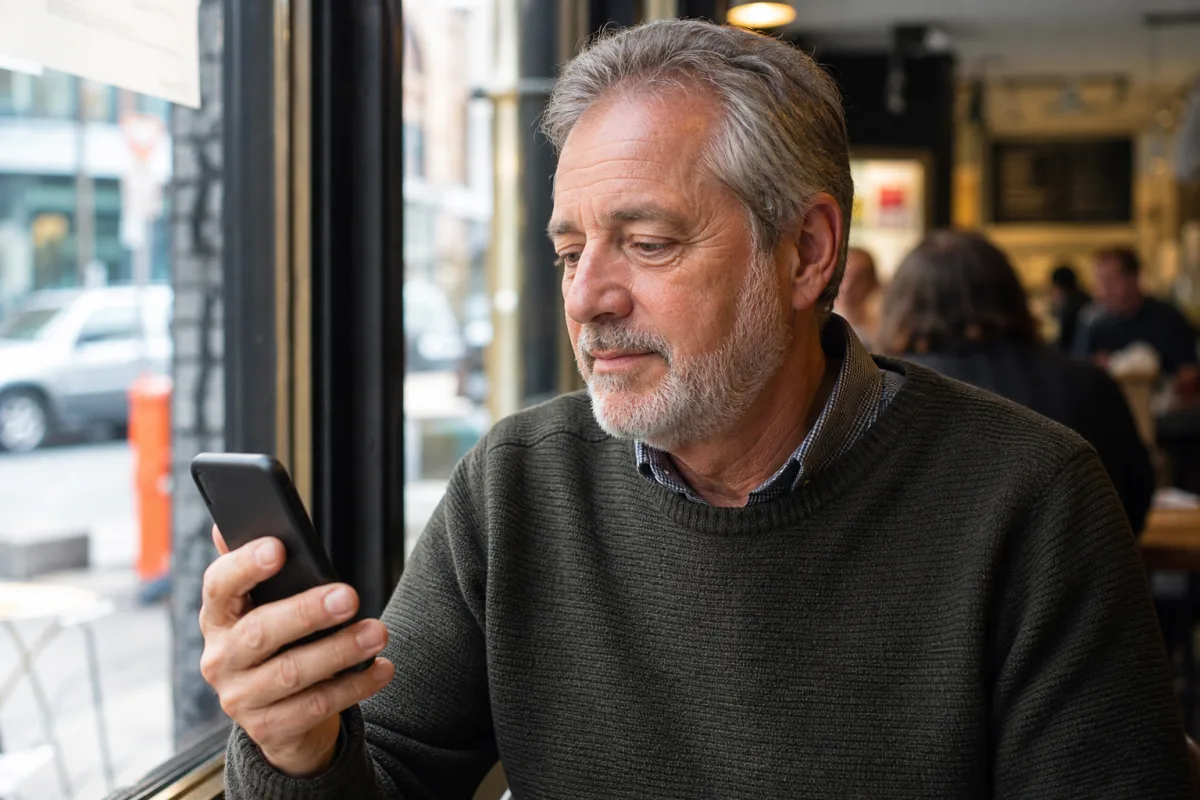
Online dating safety checklist: before, during, after, and in an emergency
Use this short checklist as a flexible plan, not a test you have to pass. Choose the steps that fit your circumstances and local resources.
| When | Actions to take |
|---|---|
| Before the date | Keep early messages in the app; have a brief video call; reverse-image search a profile photo; use a unique password and two-factor authentication; remove location metadata from photos; choose a public venue; arrange your own transport; tell a trusted person the plan. |
| During the date | Keep your phone charged; stay in a public, staffed place; keep food and drinks in sight; avoid anything that reduces your ability to make decisions; use a friend check-in or code word; leave if you feel pressured or uneasy. |
| After the date | Confirm to your trusted person that you are safe; review any uncomfortable behavior without blaming yourself; save relevant messages if needed; block and report accounts that cross boundaries; change a reused or exposed password. |
| Urgent or emergency situation | Move to a safer place, ask staff or people nearby for help, and contact local emergency services if there is immediate danger. For online abuse or fraud, preserve evidence when safe, stop contact, secure your accounts, report the account, and seek support. |
RAINN emphasizes that no strategy can guarantee safety, while recommending practical steps such as protecting personal information, meeting in public, controlling your own transportation, sharing plans with someone you trust, and leaving when you feel uncomfortable. Read RAINN’s safer dating guidance.
What are the most important dating safety tips before meeting someone?
Start with consistency. A person’s photos, profile details, messages, and willingness to speak in real time should broadly align. You do not need to investigate someone’s entire life; you need enough information to decide whether meeting feels sensible.
A trustworthy match respects reasonable verification and never pressures you to ignore your boundaries.
Before agreeing to a first date:
Keep messaging in the app at first. In-app reporting and blocking tools may be easier to use while the conversation remains on the platform. Share a phone number only when you are comfortable, and consider a separate number initially.
Have a brief video call. A normal real-time conversation can help confirm that the person resembles the profile. It is not proof of character, and even live video can be recorded or manipulated.
Try a reverse image search. Search a profile photo with Google Images or another reverse-image tool. If it appears under another name or unrelated biography, pause and report the profile if appropriate.
Look for a coherent story. Job, location, schedule, and relationship goals do not need to resemble yours, but repeated contradictions or evasive answers deserve attention.
Discuss the plan plainly. A respectful match should accept a public venue, reasonable time, separate transportation, and your decision to leave at any point.
Verification is one safety layer, not a substitute for judgment. For a broader look at values-led dating, read our guide to elite dating.
How should you secure a dating account with 2FA?
Your dating account may contain private conversations, photos, location clues, and links to other parts of your life. Protect it as carefully as your primary email account.
- Use a long, unique password that you do not use for email, social media, banking, or another dating service. A password manager can help generate and store it.
- Turn on two-factor authentication (2FA) wherever it is available. 2FA requires a second kind of proof in addition to a password, making a stolen password less useful to an attacker.
- Prefer an authenticator app or security key when the service supports one; the FTC describes security keys as the strongest of the common 2FA methods. SMS codes are still an extra layer when stronger options are unavailable.
- Protect your email account with its own unique password and 2FA because email is often used to reset other accounts.
- Never send a login code or recovery code, or approve an unexpected sign-in prompt, for a match—or for anyone claiming to be app support.
- Store recovery codes somewhere private, review active sessions, and sign out of devices you do not recognize.
The FTC explains the available 2FA methods and why a second factor helps even when a password is stolen. See the FTC’s two-factor authentication guide.
If you think an account was accessed, change its password from a device you trust, sign out other sessions, enable or reset 2FA, secure the connected email account, and contact the platform through its official app or website.
How can you spot phishing links and malicious attachments?
Treat an unexpected link, QR code, file, or login request as untrusted even when it appears to come from a match. A compromised account can send convincing messages from someone you recognize.
Common warning signs include:
- pressure to act immediately, keep something secret, or “verify” your account outside the app;
- a web address with misspellings, extra words, switched letters, or an unfamiliar domain;
- a page that asks for your dating-app password, email password, payment details, identity document, or 2FA code;
- an unexpected attachment described as a photo, ticket, itinerary, invoice, or private document;
- a message that claims to be support but directs you to a link instead of the official app or website;
- a QR code or shortened link that hides its destination.
Do not click or open it. Contact the person through a known channel, or open the company’s official app or type a known address yourself. Do not rely on the phone number or website inside the suspicious message. The FTC warns that phishing links and attachments may steal information or install malware and recommends verifying the request through contact details you already know are real. Read the FTC phishing guide.
If you clicked a suspicious link or opened an attachment, disconnect the affected device from the internet if malware may be active, update its security software, run a scan, and change exposed passwords from a different trusted device. Secure your email first, turn on 2FA, review financial accounts if relevant, and report the message to the platform and the FTC’s ReportFraud site.
How do photos reveal your identity or location?
A photo can disclose more than the subject. The background may show a house number, workplace badge, child’s school logo, vehicle plate, reflection, regular route, or a recognizable view. The file itself may also contain EXIF or other metadata, including when and where it was taken.
Before posting or sending a photo:
- Check the entire frame, including reflections, screens, mail, badges, windows, and landmarks.
- Avoid reusing the same profile photo on dating, professional, and public social accounts. Reuse makes it easier to connect profiles through reverse-image search.
- Review the photo’s information or details panel and remove or adjust its location before sharing. You can also disable location access for the camera so future photos are not geotagged.
- Export or share a copy without location information when your device offers that option, then verify the copy’s details before sending.
- Remember that removing metadata does not remove visible location clues, and a recipient can still save, copy, or redistribute an image.
RAINN specifically recommends avoiding cross-profile photo reuse and deleting geolocation metadata that can reveal locations and timestamps. See RAINN’s online dating photo-safety advice. The FTC also notes that camera features can attach location information and recommends turning camera location off when you do not want to share it. See the FTC’s device privacy guidance.
Healthy dating should make room for disclosure at your pace. Learn more about the community tools designed to support respectful connections on our features page.
How can you plan a safer first date and protect your drink?
First-date safety is mainly about preserving your ability to leave, ask for help, and make decisions without pressure. Choose a plan that gives you control from arrival to the journey home.
| Safer first-date choice | Why it helps | Simple example |
|---|---|---|
| Meet in a public, staffed place | Other people and staff are nearby | Coffee shop, museum, casual restaurant, daytime market |
| Arrive and leave independently | You can end the date on your own terms | Drive yourself, use rideshare, or take public transit |
| Tell a trusted person the plan | Someone knows where you are and when to check in | Share the venue, match’s name/profile, and expected end time |
| Keep your phone charged | You can contact help or arrange a ride | Bring a charger or power bank |
| Use a check-in or code word | A friend knows when you want help leaving | Agree on a word or emoji before the date |
| Trust discomfort early | You do not need a dramatic reason to leave | “I’m heading out now. Take care.” |
If you order food or a drink, receive it directly from staff when possible, keep it in sight, and do not leave it unattended. If you lose sight of it, do not keep drinking it; ask for a fresh one. Do not accept an open drink from someone you do not trust, and avoid excessive alcohol or other substances that could affect your ability to make decisions. RAINN recommends never leaving food or drinks unattended and staying aware and alert during an in-person date. Read RAINN’s first-date safety advice.
If you suddenly feel unusually confused, weak, nauseated, dizzy, or much more intoxicated than expected, tell venue staff or a trusted person, get to a safer place, and seek medical help promptly. Do not leave alone or with the person you suspect. Whatever you consumed, being impaired never makes assault or boundary-crossing your fault.
If a date moves the meeting at the last minute to a home, car, hotel room, or isolated place, it is reasonable to decline or reschedule. People navigating different life stages may also find our guide to age-gap relationship red and green flags helpful for thinking about respect and power dynamics.
What are common romance scam signs?
Romance scams often use urgency, emotional intensity, and isolation to override your judgment. The FTC advises never sending money or gifts to an online love interest you have not met in person and reporting suspected scams to the platform and the FTC. Read the FTC’s romance scam guidance.
If an online match asks for money, gift cards, cryptocurrency, a wire transfer, account access, or help moving funds, stop and do not pay.
Several warning signs together are a strong reason to step back:
- They repeatedly refuse a live video call or cancel plans to meet.
- Their photos, voice, location, work, or identity details do not align.
- They declare intense feelings, exclusivity, or future plans unusually quickly.
- They insist on moving off the dating app immediately.
- They claim a travel, medical, customs, military, business, or investment emergency.
- They request passwords, verification codes, financial details, identity documents, or intimate images.
- They pressure you to act now, hide the relationship, or avoid friends and family.
If you sent money, contact the bank, card issuer, payment app, gift-card company, wire service, or cryptocurrency exchange immediately and ask whether the transaction can be reversed or flagged. Then report the account and submit a report to ReportFraud.ftc.gov and, for internet-enabled crime in the United States, the FBI Internet Crime Complaint Center.
A respectful connection never requires a financial rescue, investment transfer, or proof of affection through money.
What is sextortion, and what should you do about it?
Sextortion is the use of a threat to share intimate content—real, stolen, recorded, or manipulated—to demand money, more images, sexual activity, account access, or another favor. A person may build trust, move the chat off-platform, initiate an intimate exchange or video call, and then threaten to send material to family, friends, an employer, or social contacts. AI-generated or edited images can also be used; possession of a convincing image is not proof that it is authentic.
If someone threatens you:
- Do not blame yourself. The person making the threat is responsible. You are not alone, even if you shared an image voluntarily or were deceived.
- Stop engaging and do not send money or more content. Do not negotiate or follow instructions to “prove” deletion.
- Preserve evidence before blocking, if it is safe. Save usernames, profile links, phone numbers, email addresses, URLs, dates, threats, payment demands, transaction details, and screenshots. Do not redistribute intimate material while documenting the abuse.
- Report and block the account. Use the dating, messaging, social, hosting, or payment platform’s reporting tools. If content appears in several places, report each location.
- Secure your accounts. Change exposed passwords, enable 2FA, review active sessions, make social profiles and contact lists private, and warn trusted contacts not to engage with suspicious messages.
- Report the crime and seek support. In the United States, file with the FBI’s IC3. If there is immediate danger, contact local emergency services. RAINN’s guide explains options for preserving evidence, reporting images, requesting removal, securing accounts, and finding support. Use RAINN’s intimate-image reporting and removal guide.
The FBI/IC3 advises people receiving sextortion threats to stop interaction, retain information about the incident, and report it rather than staying silent out of embarrassment or fear. Read the FBI/IC3 sextortion alert. If an image involves anyone who was under 18 when it was created, do not download, forward, or make additional copies; follow the child-safety reporting directions in RAINN’s guide or contact the appropriate local authority.
What should you do if a match crosses a boundary or seems unsafe?
Act early and keep your response simple. You do not need to prove intent before ending a conversation, declining a date, blocking an account, or asking for support.
- Move to a safer place or end the conversation.
- Do not send money, passwords, codes, documents, or additional photos.
- Save relevant evidence before blocking when it is safe and useful to do so.
- Report the profile through the app.
- Tell a trusted friend, family member, advocate, or counselor what happened.
- Contact a bank or payment provider promptly if money or financial information was involved.
- Report suspected fraud to the FTC and internet-enabled crime to the FBI IC3 when applicable.
If you believe you are in immediate danger, call local emergency services. If you are in person and become uneasy, leave and seek help from venue staff or people nearby. You do not owe someone politeness, an explanation, or another chance when your comfort or safety is at risk.
What does “every member is verified” mean at EliteSweet?
At EliteSweet, verification is required to join. It is designed to check that a member is a real adult and that the person matches the profile. Depending on the verification flow, EliteSweet may request a selfie or government-issued ID and may use automated facial comparison to confirm that the submitted image matches the profile.
Here is the important boundary:
| Verification can help with | Verification does not establish or guarantee |
|---|---|
| Confirming that an account is associated with a real adult | Good character, respectful conduct, compatibility, or safe intentions |
| Comparing a verification selfie or ID with the profile | The truth of every claim about work, income, relationship status, or life history |
| Making simple bots, fake profiles, and basic impersonation harder | That an account can never be compromised or that media cannot be manipulated |
| Creating an accountability layer before members connect | A criminal background check or 100% safety online or in person |
EliteSweet does not conduct criminal background checks. Verification is a useful starting point, not an endorsement of a member and not a reason to skip a video call, share private information quickly, send money, or ignore a concern.
If you are ready to meet verified people in a respectful, non-transactional environment, join EliteSweet free.
Frequently asked questions about online dating safety
Is a verified dating app completely safe?
No. Verification can reduce some forms of impersonation, but it cannot guarantee someone’s intentions or behavior. Continue to protect your accounts, take time before meeting, meet in public, arrange your own transportation, and leave whenever you feel uncomfortable.
Does EliteSweet run criminal background checks?
No. EliteSweet verifies that members are real adults using identity-verification signals that may include a selfie or government-issued ID and facial comparison. It does not conduct criminal background checks, and verification is not a guarantee of anyone’s character, intentions, claims, or safety.
Should I turn on 2FA for a dating app?
Yes, whenever the app offers it. Also enable 2FA on the email account connected to the app. Never share a one-time code or approve an unexpected login request, even if someone claims to be a match or support representative.
Can someone find my location from a photo?
Possibly. Visible details can reveal a location, and photo metadata may contain coordinates or timestamps. Remove location metadata before sharing, disable camera geotagging if you do not need it, inspect the background, and avoid reusing the same photos across public profiles.
What should I do if I clicked a suspicious link from a match?
Stop entering information. If malware may have downloaded, disconnect the affected device, update and run security software, and use a different trusted device to change exposed passwords. Secure your email, turn on 2FA, review account sessions and financial activity, then report the sender and the phishing attempt.
What should I do if someone threatens to share an intimate image?
Do not pay or send more content. Preserve the threats and account details when safe, stop contact, report and block the account, secure your accounts, tell someone you trust, and report to the relevant platform and law enforcement. The abuse is not your fault, whether the image is real, altered, or AI-generated.
Is it safe to give a match my phone number?
It can be once you feel comfortable, but there is no need to rush. Keep early communication in the app, avoid sharing your full name or address, and consider a separate number. A respectful match will not pressure you for personal contact details.
What should I do if a date or drink makes me feel uneasy?
Stop consuming the drink, move to a safer place, tell staff or someone you trust, and arrange help rather than leaving alone with the person you suspect. Seek urgent medical care or contact local emergency services when appropriate. You do not need proof or a detailed explanation before leaving.
Start with verification, then date with intention
Online dating safety is not about assuming the worst of everyone or placing responsibility on people who experience harm. It is about giving yourself more time, information, privacy, and freedom to recognize a promising connection—and more options when something feels wrong.
EliteSweet’s required member verification creates a stronger starting point by checking that members are real adults, while clearly stopping short of a background check or safety guarantee. Pair that layer with account security, careful photo sharing, clear boundaries, a public first-date plan, drink awareness, and a firm no-money rule. Create your free EliteSweet profile when you are ready to meet with confidence.